Set up your AI sales assistant: get Ai Vendor running fast
This guide sets up Ai Vendor on WordPress, a sales assistant rather than a plain chatbot: install the plugin, connect your AI provider key, configure the sales agent, and put cart building plus abandoned-cart recovery on your WooCommerce storefront.
DocumentationStep-by-step setup
Install the plugin
Connect a provider
Configure the assistant
Enable storefront widget
Abandoned carts & privacy
01
Install the Ai Vendor plugin
Install the free plugin from the WordPress.org repository, or upload the Pro package from the WooCommerce Marketplace.
Activate Ai Vendor, then open Ai Vendor in your WordPress admin.
WordPress 6.x and a compatible WooCommerce store
HTTPS recommended for storefront chat
An API key from OpenAI, Anthropic, or Google Gemini
02
Connect a provider
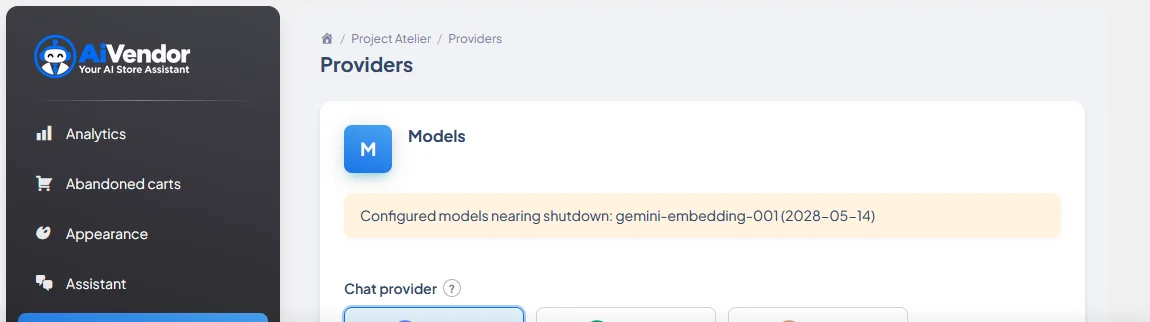
Ai Vendor is BYOK — you bring your own key. In Providers, pick a chat model, paste your key, and run the connection test.
You’re billed by your provider; Ai Vendor does not resell credits.
Choose chat model (and embeddings if offered)
Save the key (stored securely; write-only in settings)
Use Test to verify auth before going live
03
Configure the assistant
Set your store voice, greeting, and knowledge: policies, shipping, returns, and FAQs.
The assistant recommends only from your live catalog — prices and stock stay grounded in WooCommerce data.
Appearance: colors, avatar, launcher position
Catalog & knowledge: what the assistant can answer
Playground: try conversations before publishing
04
Storefront widget
Enable the chat widget on the storefront. Shoppers can ask for products, compare options, and confirm cart actions —
nothing is added to the cart without their consent.
Show on shop, product, cart, and checkout as needed
Suggested prompts for common intents
Mobile-friendly launcher and chat panel
05
Abandoned carts
Capture carts with explicit consent, send timed recovery emails (optional coupon), and restore the cart with a one-click link.
Stop rules end the sequence when the cart recovers, the shopper unsubscribes, or consent is missing.
When the assistant can’t help, it can request a human handoff with conversation context.
Review privacy defaults: consent for cart capture, clear stop rules, and limits that keep shoppers in control.
Handoff notifications to your team
Order status for logged-in customers
Disclose AI and provider data use in your store policies
FAQ
Common questions
Do I need Pro to start?
No. Free on WordPress.org includes the shopping assistant, cart recovery, knowledge base, and basic analytics.
Who pays for AI usage?
You do — via your OpenAI, Anthropic, or Gemini account. Ai Vendor does not sell platform credits.
Can the AI invent prices?
No. Product cards and prices render from live catalog data returned by tools, not from free-form model text.
Where is Pro sold?
Pro is distributed on the WooCommerce Marketplace. See the pricing page.
Need a hand?
Can’t find what you’re looking for?
Reach out and we’ll help you get the assistant live on your store.